 Mop
Phone storage full? Mop it up.
Mop is a phone storage cleaner for iPhone. It finds duplicate photos, similar shots, large videos and other clutter. Scan for free, then pay $29 once to clear it.
No subscription. No ads. No account. Your photos stay on your iPhone.
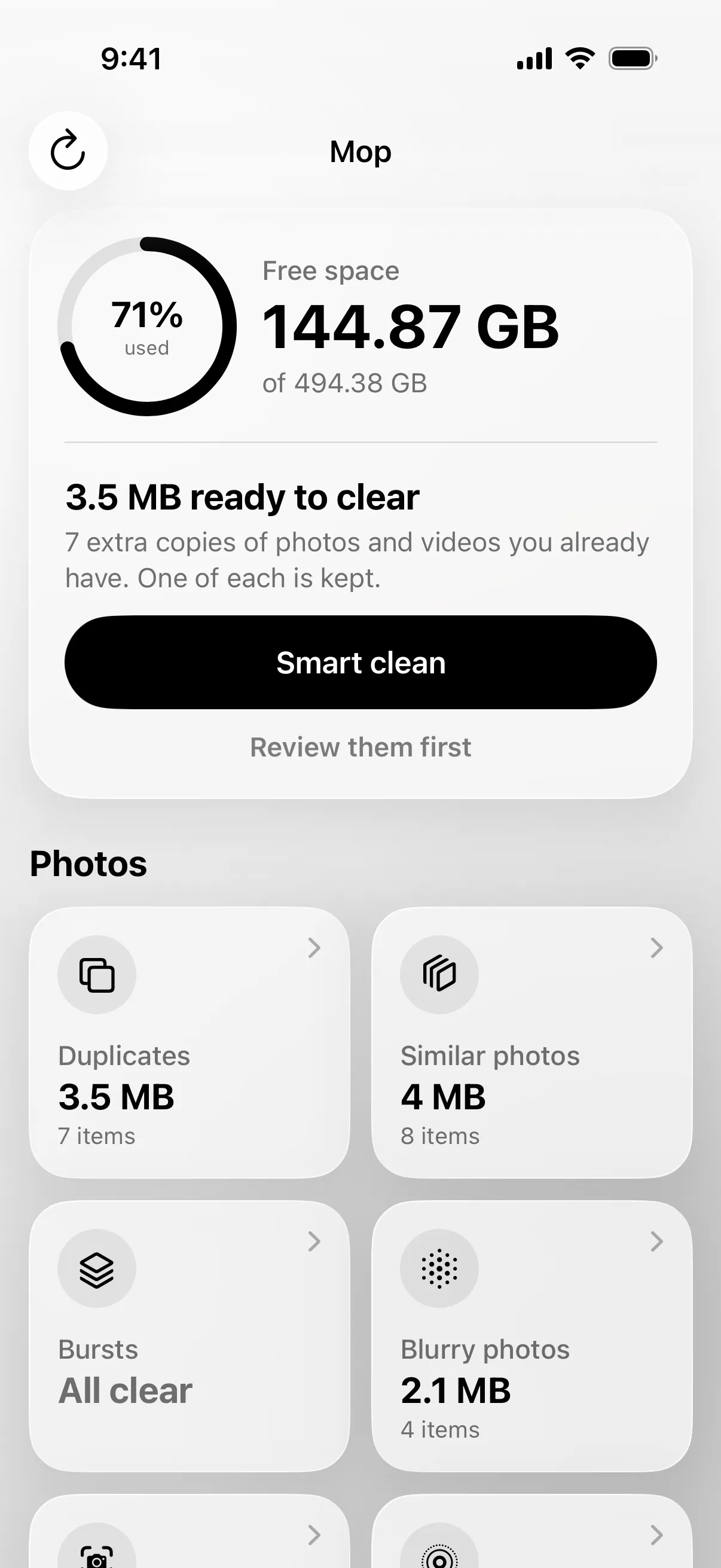
How to clean phone storage with Mop
- 1
Scan
Mop reads your photo library on the phone and groups what it finds by type and size.
- 2
Review
Go through a group at once, or swipe one by one: left to delete, right to keep.
- 3
Clear
Confirm, and photos and videos move to Recently Deleted. Empty it to get the space back straight away.
What Mop finds
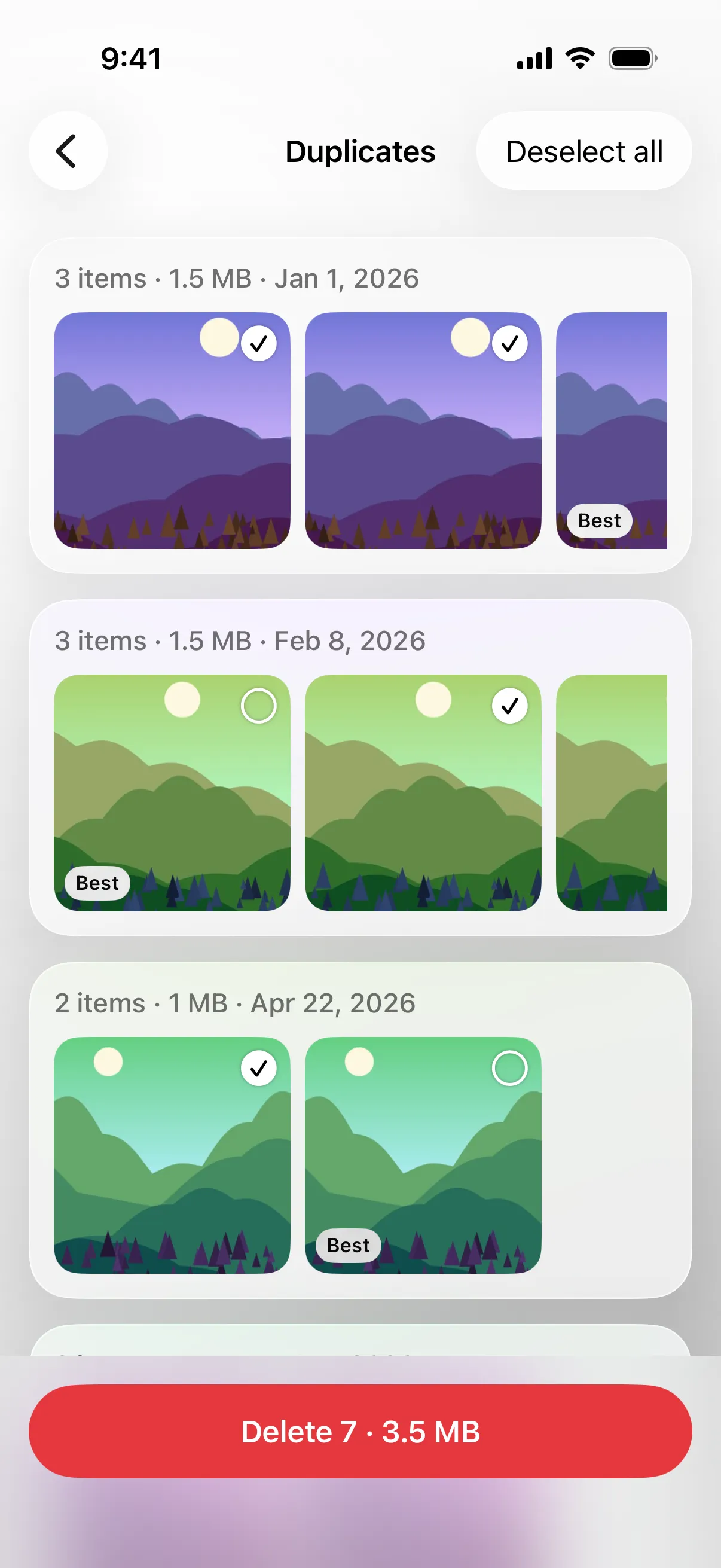
Exact duplicates
Extra copies of the same photo or video. One of each is kept.
Similar shots
Near-identical photos, grouped, with nothing ticked for you.
Large videos
Videos over 50 MB, biggest first. Delete them or compress them.
Screenshots
Every screenshot in one place, plus screen recordings.
Blurry photos
Soft shots, with a reminder that some are meant to look that way.
Live Photos
Keep the picture and drop the video half.
Duplicate contacts
Cards that share a phone number or email, merged.
Calendar and reminders
Old or repeated events, subscribed calendars and completed reminders.
A private vault
Move photos out of your library and behind Face ID.
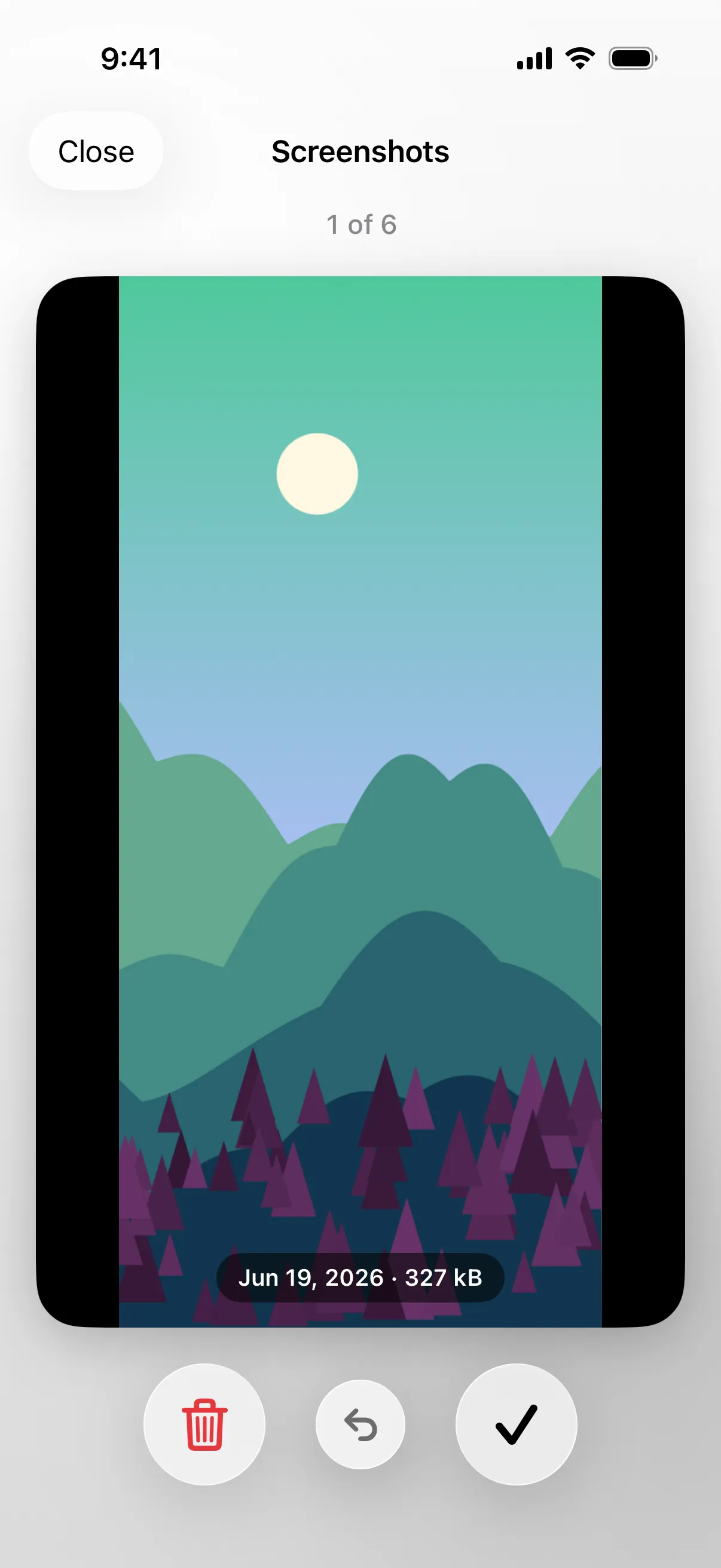
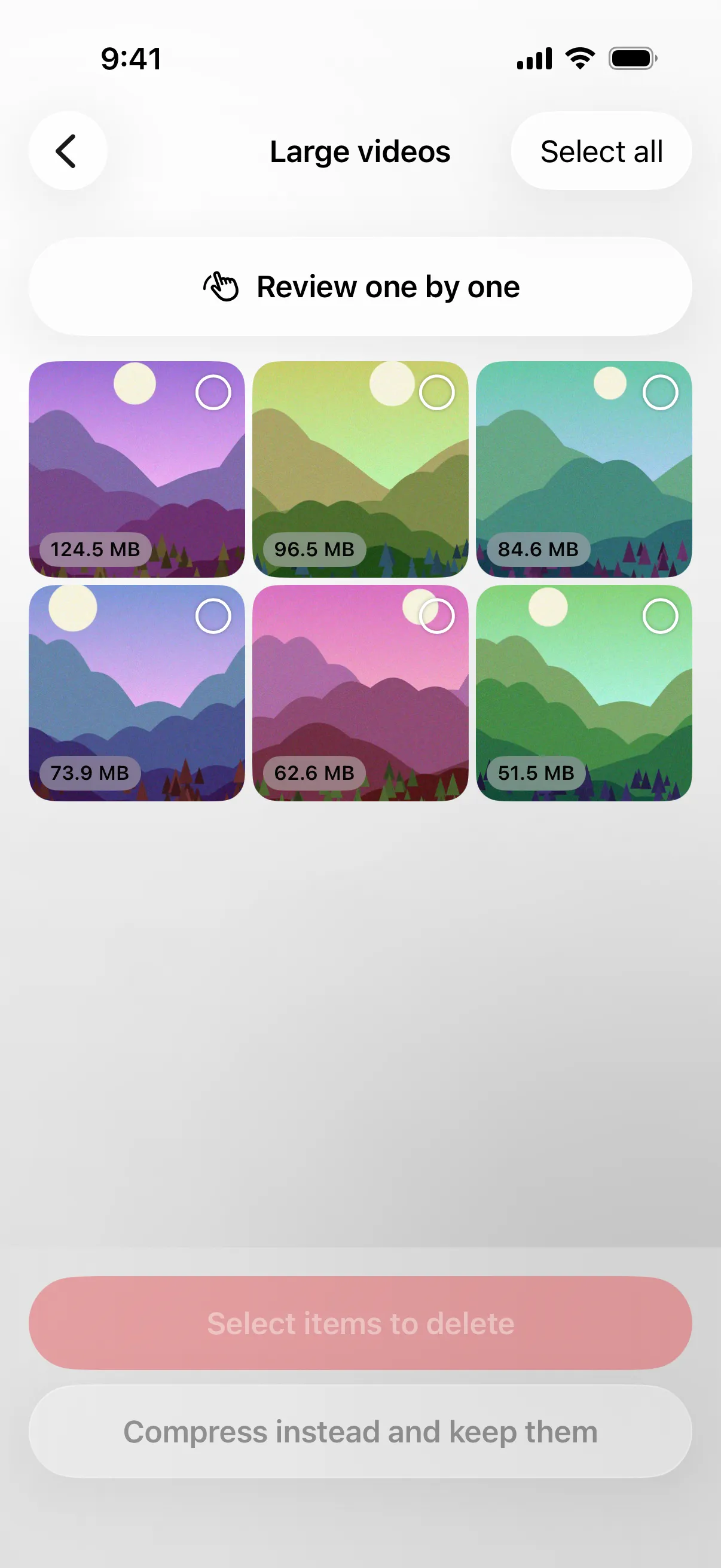
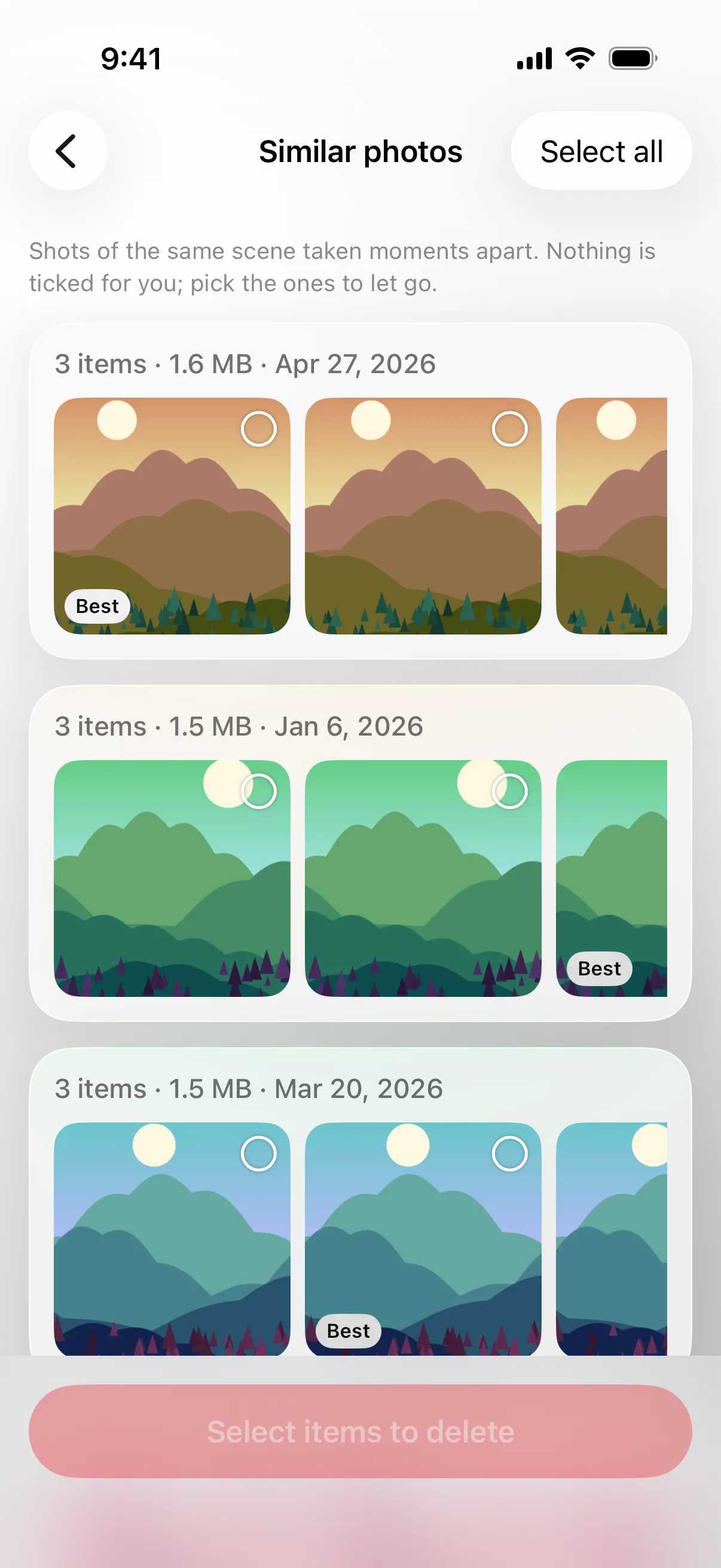
Screens from Mop 1.0 with sample pictures, shown unlocked.
One price, once
Scan
$0
Scan your library, browse everything Mop found and mark what you would delete.
Unlock
$29
Delete, compress and merge without limits, and use the vault. Paid once in the app; prices outside the US vary.
Most iPhone cleaners we checked sell weekly or yearly plans. Compare prices and what each app does, including the free options.
Phone storage guides
All guidesQuestions
Is Mop free?
Scanning is free, and you can see everything it found. Deleting, compressing, merging and the vault need a one-time unlock, $29 in the US. There is no subscription and no free trial that renews.
Is it safe? Will it delete photos I want?
Nothing is deleted until you confirm. Deleted photos and videos go to Recently Deleted in Photos, where iOS keeps them for up to 30 days. Only exact copies are ticked for you; photos that merely look alike never are. Contacts, events and reminders are different: some of those removals cannot be undone, and Mop says so first.
Do my photos leave my phone?
No. Mop compares photos on your iPhone and does not upload them. It has no account, no ads and no analytics.
Does Mop clear System Data or app caches?
No. iOS does not let apps clear other apps’ caches or System Data, so no App Store cleaner can. Our guide to clearing phone storage shows what you can do in Settings.
Does it work on Android?
No. Mop is for iPhone, on iOS 17 or later. Our guides cover Android steps too.
When can I get it?
Mop is not on the App Store yet. Email team@embelabs.xyz and we will tell you when it is.
See what is filling your iPhone
Mop scans for free and shows you everything it found. Clearing it costs $29, once.